On February 12th, 2026, security researcher Dmitry Smilyanets posted to X that he had received a physical letter supposedly from Trezor, the crypto hardware wallet company, regarding a “Mandatory Authentication Check.” He quickly identified it as a scam designed to trick Trezor customers into uploading their private keys to a phishing website.
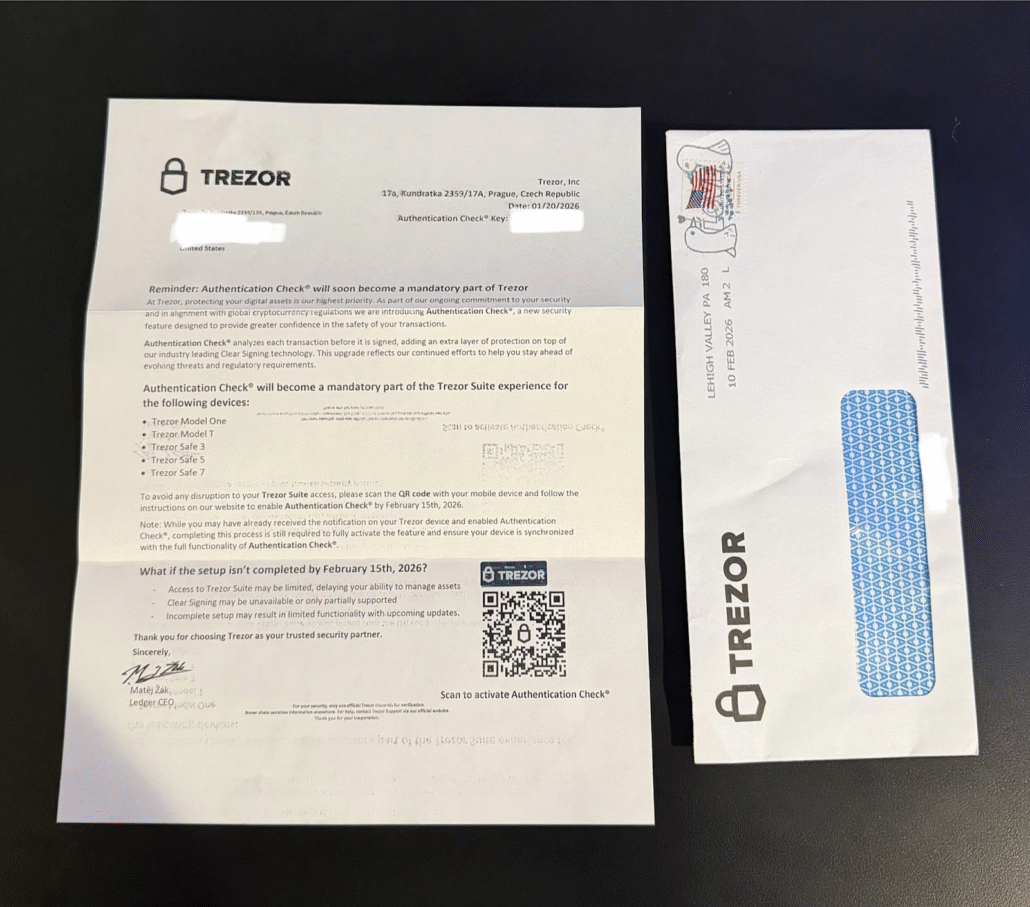
The fraudulent letter impersonating Trezor, complete with branded envelope. (Source: Dmitry Smilyanets /X)
Detect Phishing Domains Before Your Customers Do
Flare continuously monitors for lookalike domains, credential exposure, and phishing infrastructure targeting your brand across the clear and dark web.
Check out John Hammond’s coverage on this topic, and keep reading below for the details.
Breaking Down the Scam
The letter is carefully crafted to appear legitimate. The opening paragraph frames the scam as a security upgrade, stating: “We are introducing Authentication Check, a new security feature designed to provide greater confidence in the safety of your transactions.”
It goes on to list every Trezor device that would supposedly be affected by this mandatory change:
- Trezor Model One
- Trezor Model T
- Trezor Safe 3
- Trezor Safe 5
- Trezor Safe 7
The letter also creates a false sense of urgency, warning that if the setup is not completed by February 15th, 2026, recipients risk losing the ability to manage their assets and may face limited functionality.
The Phishing Page
A QR code in the bottom-right corner of the letter directed victims to the following phishing domain:
hxxps://trezor[.]authentication-check[.]io
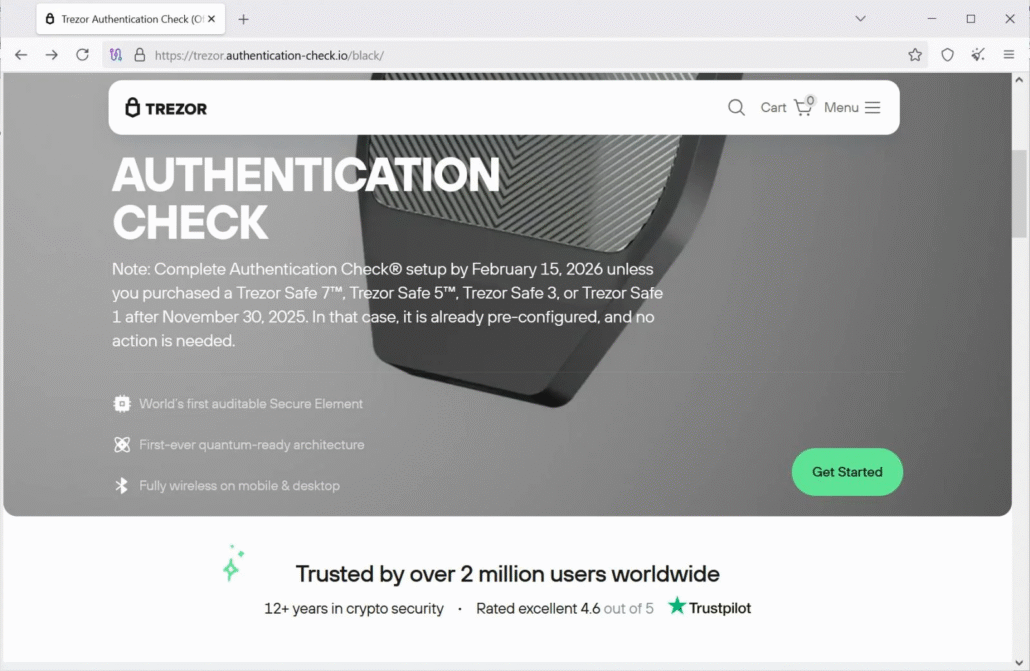
When the domain was active, victims were presented with a convincing phishing page that prompted them to enter their wallet recovery phrase. A recovery phrase is essentially the master key to a cryptocurrency wallet; submitting it to the attackers would allow them to drain the wallet and steal all funds.
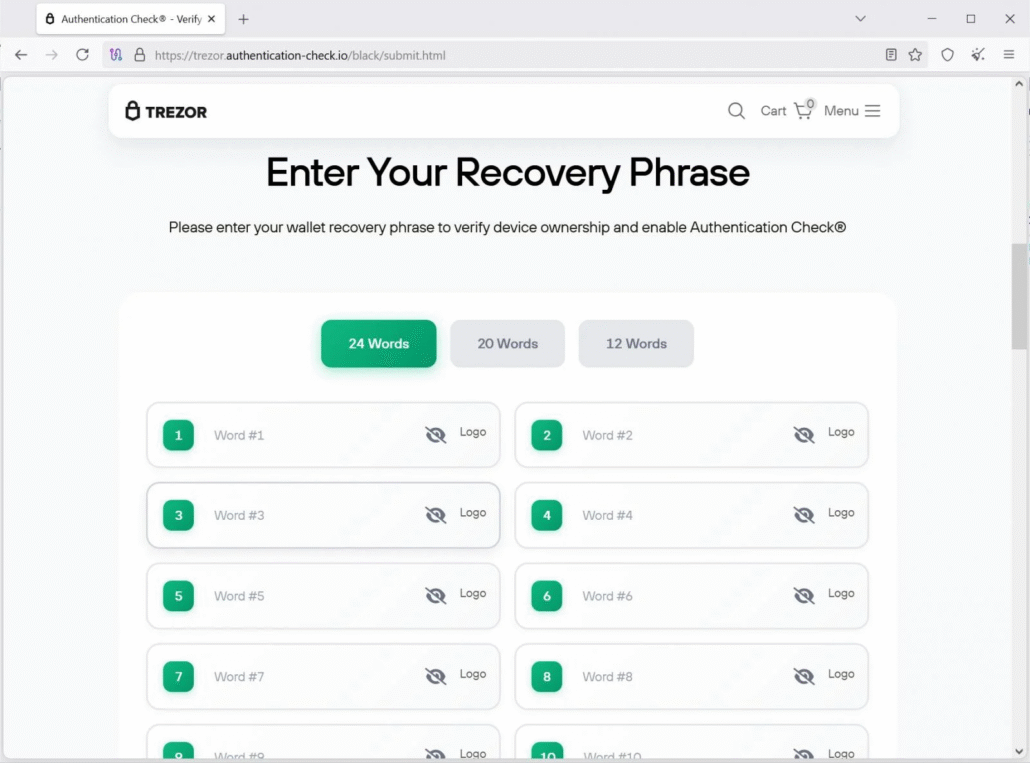
The phishing page prompts victims to enter their wallet recovery phrase. (Source: BleepingComputer)
At the time of writing, the domain has been taken offline, and Chrome has flagged it as a phishing page.
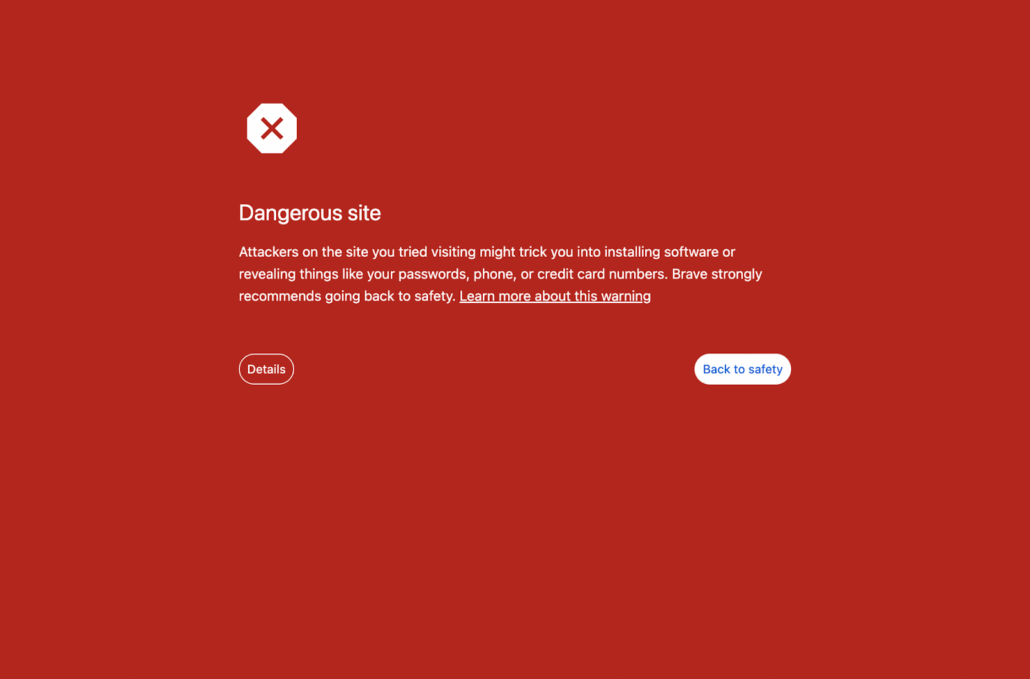
The browser’s phishing warning when attempting to visit the now-flagged domain.
Ledger Users Targeted Too
The Trezor letter is not an isolated incident. A similar campaign has targeted users of Ledger, another crypto hardware wallet company, since at least October 2025. Those letters warned recipients that a “Transaction Check” would soon become mandatory and instructed them to scan a QR code. The code led to a nearly identical phishing page under the domain:
hxxps://ledger[.]setuptransactioncheck[.]com
That domain has also been taken offline at the time of writing.
A Growing Trend: Physical Mail as a Phishing Vector
While email and SMS phishing have dominated the threat landscape for decades, physical mail scams targeting crypto users are not entirely new. In 2021, threat actors mailed modified Ledger Nano wallets directly to the homes of Ledger customers. That campaign was made possible by the 2020 Ledger database breach, which exposed 1.1 million customer names, email addresses, and physical addresses.
Physical mail adds a layer of perceived legitimacy that digital messages often lack. A letter that arrives at your home, addressed to you by name, and bearing official branding can feel far more trustworthy than an email. Threat actors are clearly aware of this, and as crypto adoption grows, we can expect this vector to be exploited more frequently.
How to Protect Yourself
Both Trezor and Ledger have publicly stated that they will never ask users to share, enter, scan, or upload their recovery phrases under any circumstances: not by email, over the phone, on a website, or through the mail. If you ever receive an unsolicited letter claiming to be from either company, treat it as a scam.
Never Enter Your Seed Phrase Anywhere
Recovery phrases should only ever be entered directly into your hardware device when restoring a wallet. Never type them into a computer, phone, or website, regardless of how legitimate the request appears.
Verify Only Through Official Channels
If you are uncertain whether a request or action is legitimate, go directly to trezor.io or ledger.com by typing the address manually into your browser. Never navigate to a site by scanning a QR code or clicking a link from an unsolicited message.
Report Suspicious Letters
Both companies have dedicated channels for reporting phishing attempts. For Ledger, forward details to [email protected] and check their active phishing campaigns page for known scams. For Trezor, report phishing to [email protected] or visit their official scams and phishing guide. You can also report phishing domains directly to the FTC and Google. The more reports these phishing sites receive, the faster they can be taken down.
Monitoring Scams with Flare
The Flare Threat Exposure Management solution empowers organizations to proactively detect, prioritize, and mitigate the types of exposures commonly exploited by threat actors. Our platform automatically scans the clear & dark web and prominent threat actor communities 24/7 to discover unknown events, prioritize risks, and deliver actionable intelligence you can use instantly to improve security. Flare integrates into your security program in 30 minutes and often replaces several SaaS and open source tools. Flare is proud to be listed as one of the top platforms for dark web monitoring.
See what external threats are exposed for your organization by signing up for our free trial.