Widespread and massive cloud adoptions in the 2010s and 2020s saw massive changes to organizational risk profiles. Cloud misconfigurations, new identity and access management systems, secrets sprawl, and rapid adoption led to many data breaches and security incidents. Many threat actors also began pivoting their tactics, focusing on gaining access to cloud systems.
Are Your Cloud Credentials Already Exposed?
Flare monitors stealer logs, GitHub, DockerHub, public code repositories, and misconfigured cloud buckets—so you can find exposed secrets and credentials before attackers do.
Threat Intelligence Implications for Cloud Systems
The mass migration to cloud infrastructure over the past decade fundamentally changed how organizations get breached. When your critical systems live in AWS, Azure, and GCP, and your workforce authenticates through Okta, Google Workspace, and Microsoft 365, the traditional network perimeter becomes irrelevant. The new perimeter is identity, and attackers know it.
This shift has profound implications for threat intelligence. Security teams can no longer focus exclusively on internal telemetry and endpoint detection. They need visibility into the external threat landscape: the dark web forums, illicit Telegram channels, and criminal marketplaces where stolen cloud credentials are bought, sold, and exploited.
Cloud breaches rarely start with sophisticated zero-day exploits. More often, they begin with something far simpler: stolen credentials.
Infostealer malware has become the primary vector for cloud compromise. Malware families like RedLine, Raccoon, and Lumma harvest saved credentials from browsers—including SSO sessions, cloud console logins, and SaaS application passwords. These stolen credentials end up in stealer logs distributed across dark web marketplaces and Telegram channels, often within hours of infection.
A single stealer log from an employee’s compromised device might contain:
- Database connection strings
- AWS console credentials
- Okta or Azure AD session cookies
- Slack and Microsoft Teams tokens
- GitHub or GitLab access tokens
For attackers, this is a goldmine. Session cookies can bypass MFA entirely. A valid AWS credential opens the door to lateral movement across your entire cloud infrastructure.
Misconfigured cloud storage remains another persistent threat. Exposed S3 buckets, Azure blobs, and GCP storage instances continue to leak sensitive data, and threat actors actively scan for them. When they find something valuable, it often surfaces on dark web forums or private Telegram channels before the organization even knows they have an exposure.
Initial access brokers have also adapted to the cloud era. Rather than selling RDP access to on-premise servers, many now specialize in cloud access: compromised admin accounts, valid API keys, or persistent access to cloud environments. These listings appear on forums like Exploit and XSS, with prices ranging from hundreds to tens of thousands of dollars depending on the target.
Monitoring for Cloud Exposures
Effective cloud threat intelligence requires visibility into the places where stolen credentials and unauthorized access actually surface:
Stealer log marketplaces and Telegram channels distribute millions of compromised credentials daily. Monitoring these sources lets security teams identify exposed cloud credentials before attackers use them—often providing a window of hours or days to reset passwords and revoke sessions.
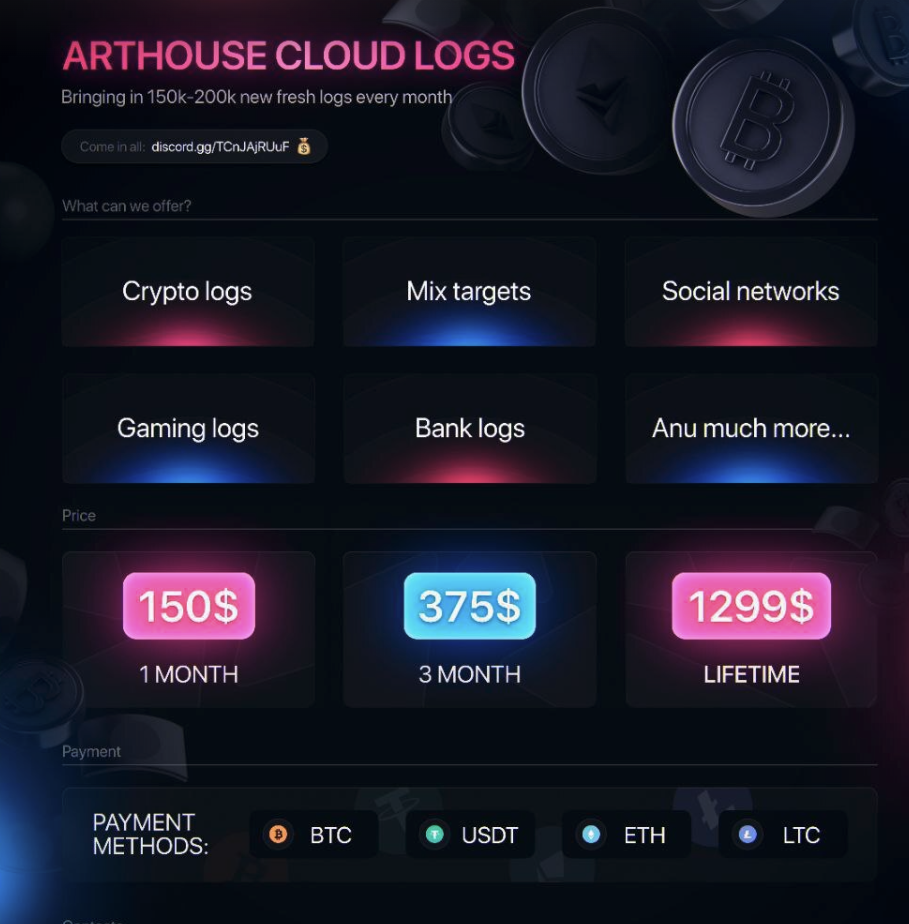
Dark web forums and marketplaces host initial access broker listings, data breach announcements, and discussions about targeting specific organizations. Early detection of these listings can mean the difference between a contained incident and a full-scale breach.
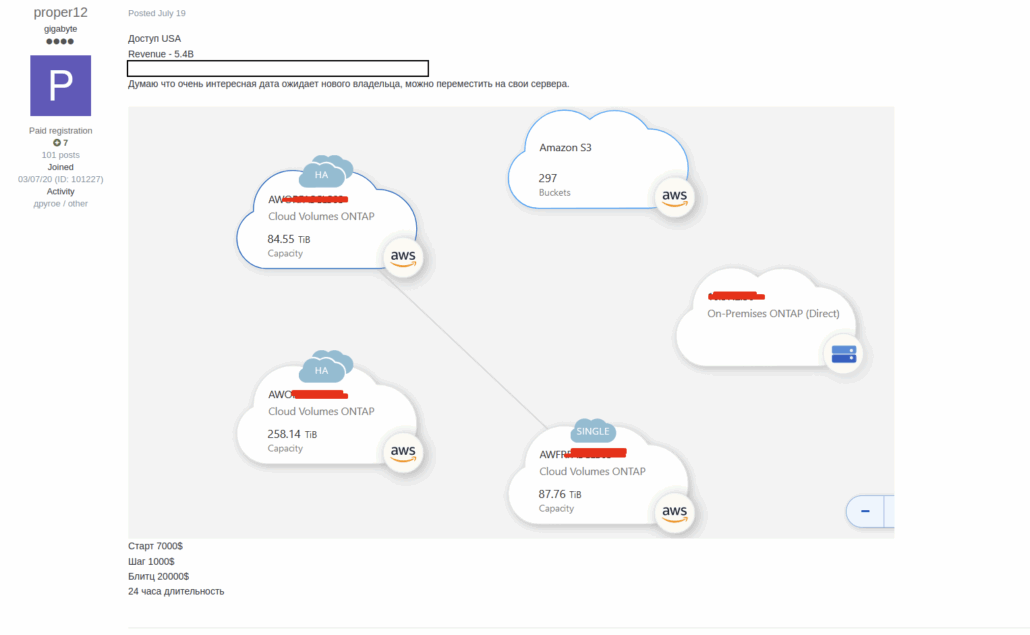
An Initial Access Broker Listing offering access to Enterprise cloud environments from a life sciences company.
Paste sites and code repositories frequently contain accidentally exposed secrets: API keys, database credentials, and cloud access tokens. Automated monitoring catches these exposures before threat actors do.
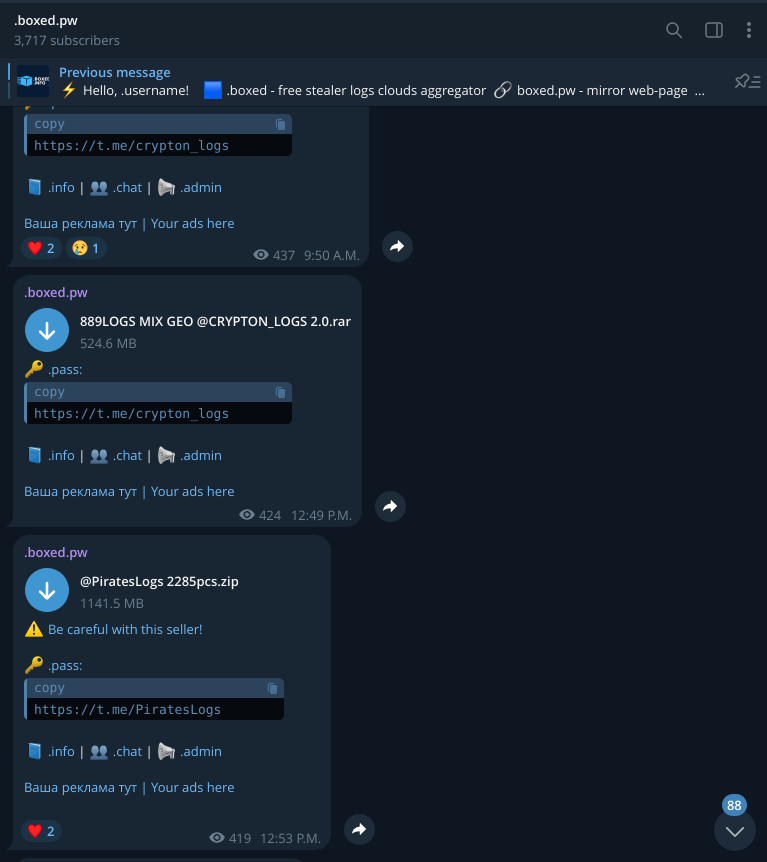
Illicit Telegram channels have become a primary distribution point for stolen data and credentials, often operating with less friction than traditional dark web forums. Real-time monitoring is essential given how quickly data moves through these channels.
Cloud Threat Intelligence: From Detection to Remediation
The value of external threat intelligence lies in enabling action. When you discover an employee’s cloud credentials in a stealer log, you can immediately:
- Force a password reset and session revocation
- Review access logs for signs of unauthorized activity
- Investigate the source device for active malware infection
- Assess what data or systems the compromised credentials could access
This proactive approach transforms threat intelligence from a reporting function into an operational security capability—catching exposures before they become incidents.
Connecting External & Internal Telemetry
External threat intelligence provides the context that makes internal security data actionable
What’s Exposed
Stealer Logs
Compromised credentials & session cookies
GitHub / DockerHub
Leaked secrets & API keys in code
Cloud Buckets
Misconfigured storage exposures
Dark Web / Telegram
Access listings & data breach posts
Where to Look
SIEM
Correlate with authentication logs
EDR
Investigate compromised endpoints
IAM / IdP
Reset credentials & revoke sessions
SOAR
Automate response playbooks
How External Intelligence Enriches Internal Response
Targeted Log Review
Device Investigation
Proactive Remediation
Blast Radius Assessment
External Context Makes Internal Data Actionable
Without knowing what’s exposed externally, internal telemetry is just noise. External intelligence tells your security stack exactly what to look for—transforming reactive monitoring into proactive threat hunting.
Cloud Threat Intelligence: Why MFA Isn’t Enough
One of the most dangerous misconceptions in cloud security is that multi-factor authentication protects against credential theft. It doesn’t—at least not against the primary attack vector security teams face today.
How Session Cookies Bypass MFA
To understand why MFA falls short, you need to understand how modern authentication actually works.
When an employee logs into a cloud service like AWS, Azure, or Okta, they complete the full authentication flow: username, password, and MFA challenge. Once verified, the service issues a session token—a cryptographic cookie stored in the browser that proves authentication already happened. For the next several hours (or days, depending on session policies), that cookie is all that’s needed to access the account. No password. No MFA prompt. Just the cookie.
Infostealer malware knows this. When RedLine, Raccoon, or Lumma infects a device, it doesn’t just harvest saved passwords—it extracts active session cookies directly from browser storage. These cookies are fully authenticated tokens. An attacker who obtains one can import it into their own browser and immediately access the victim’s cloud accounts, completely bypassing MFA.
This is called session hijacking or cookie replay, and it’s become the dominant technique for cloud account compromise. The attacker never needs to trigger an MFA prompt because they’re not authenticating—they’re continuing an already-authenticated session.
What makes this particularly dangerous:
- No authentication alerts: The victim already authenticated legitimately. The attacker’s access looks like a continuation of a valid session.
- Geolocation anomalies may be the only signal: If the attacker connects from a different location, impossible travel detection might catch it—but many organizations don’t have this configured, and VPNs can mask the attacker’s true location.
- Session lifetimes are generous: Many cloud services maintain sessions for 8-24 hours by default. Some persist for days. That’s a large window for exploitation.
- Refresh tokens extend access further: OAuth refresh tokens can allow attackers to maintain access even after the original session expires.
What defenders should look for:
When investigating potential session hijacking, focus on these indicators in your authentication and access logs:
- User-agent string changes mid-session (different browser or OS)
- Impossible travel (access from geographically distant locations within implausible timeframes)
- IP reputation shifts (legitimate IP followed by hosting provider or VPN egress)
- Access pattern anomalies (unusual API calls, services the user doesn’t normally access)
- Concurrent sessions from multiple distinct locations
The key insight here is that MFA is an authentication control, not a session control. Once authentication completes, MFA’s job is done. Protecting against session theft requires shorter session lifetimes, continuous access evaluation, and—critically—external visibility into whether your employees’ session cookies are already circulating in stealer logs.
How Session Cookies Bypass MFA
Attackers don’t need your password or MFA code—they just need your browser’s session cookie
Legitimate Login
User enters username + password
Completes MFA challenge
Service issues session cookie
Cookie stored in browser, used for ongoing access
Session Hijack Attack
Infostealer extracts cookies from browser
Cookie sold via stealer log marketplace
Attacker imports cookie into their browser
Access granted — MFA bypassed
MFA Is an Authentication Control, Not a Session Control
Once authentication completes, MFA’s job is done. The session cookie proves authentication already happened—no password or MFA code required for continued access.
Detection Signals for Session Hijacking
Impossible Travel
Access from distant locations within implausible timeframes
User-Agent Changes
Different browser or OS mid-session
Access Pattern Anomalies
Unusual API calls or services the user doesn’t normally access
IP Reputation Shift
Legitimate IP followed by VPN or hosting provider egress
Cloud Threat Intelligence: Credential Indicators to Monitor
Effective cloud threat intelligence requires knowing exactly what to look for. When monitoring stealer logs, dark web forums, and code repositories, these are the specific indicators that signal cloud credential exposure.
What This Means for Monitoring
The specificity matters. Generic “dark web monitoring” that searches for your company name will miss the majority of cloud credential exposures. Effective monitoring requires:
- Domain-specific searches across stealer log marketplaces for your authentication URLs
- Pattern matching in code repositories for your cloud provider’s credential formats
- Cookie extraction capabilities to identify exposed session tokens, not just passwords
- Continuous scanning given the velocity at which new stealer logs are published
When Flare detects credentials matching these patterns associated with your domains, security teams get the specific context needed to act: which user, which service, and whether active session tokens were exposed—not just passwords.
Cloud Threat Intelligence and Flare
Flare provides the leading Threat Exposure Management (TEM) solution for organizations. Our technology constantly scans the online world, including the clear & dark web, to discover unknown events, automatically prioritize risks, and deliver actionable intelligence you can use instantly to improve security. Flare’s threat intelligence solution helps your team monitor your cloud resources, keeping your data safe and secure.
Our solution integrates into your security program in 30 minutes to provide your team with actionable intelligence and automated remediation for high-risk exposure. See it yourself with our free trial.